Recurring plans, not repeated data entry
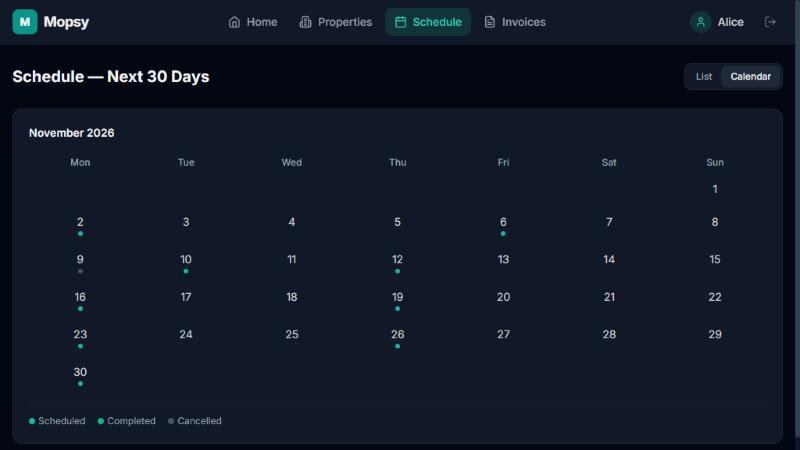
Every Tuesday at 10, the first Monday of the month, every 14 days — set the pattern once and you're done. Visits appear on your calendar by themselves, with one-off deep cleans sitting happily alongside.
Everything your office needs
Most cleaning software stops at the calendar. Mopsy follows each job all the way through: who cleaned, for how long, what it costs, who's paid — and who hasn't yet.
Every Tuesday at 10, the first Monday of the month, every 14 days — set the pattern once and you're done. Visits appear on your calendar by themselves, with one-off deep cleans sitting happily alongside.
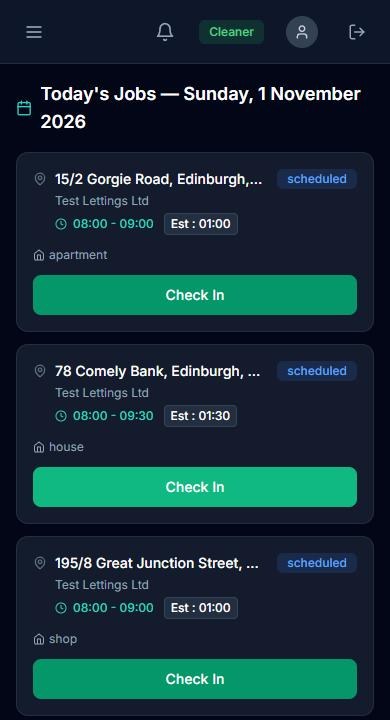
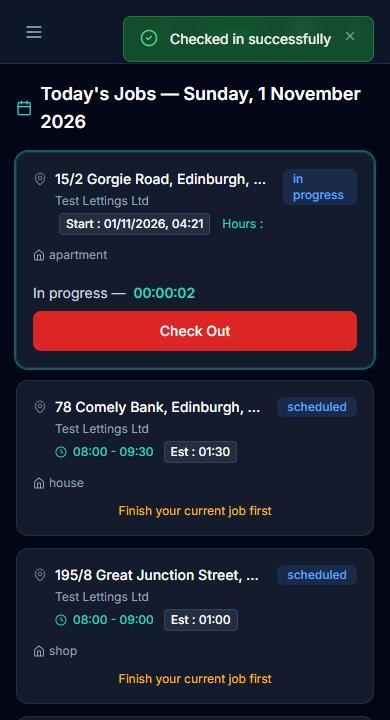
Your cleaners open Mopsy on their phone, tap Check In, do the job, add before and after photos and tap Finish. Their actual minutes are saved for you — no more timesheets.
Cleaning time × rate, plus extras like cleaning products. Invoice each job, or gather a month's worth for one customer into a single invoice — and email the PDF in one click.
Record full or partial payments, keep a credit balance for each customer, and see at a glance what's still outstanding and for how long.
Each cleaner's earnings follow the work they've recorded. Pay hourly, per job or a fixed wage, and settle up from one screen.
Customers and agents can ask to move, cancel or pause a visit from their portal. You approve or decline from one queue — nothing changes until you say so.
Scheduling
Set up a customer, their property and a cleaning plan in one short, friendly wizard. From then on their visits appear every week without anyone adding them by hand — and changing one visit never upsets the plan.
On the job
Big buttons, today's jobs in order, and the address one tap away. Your cleaners check in when they arrive, take a break if they need one, add photos and finish. You see it all as it happens.
Billing
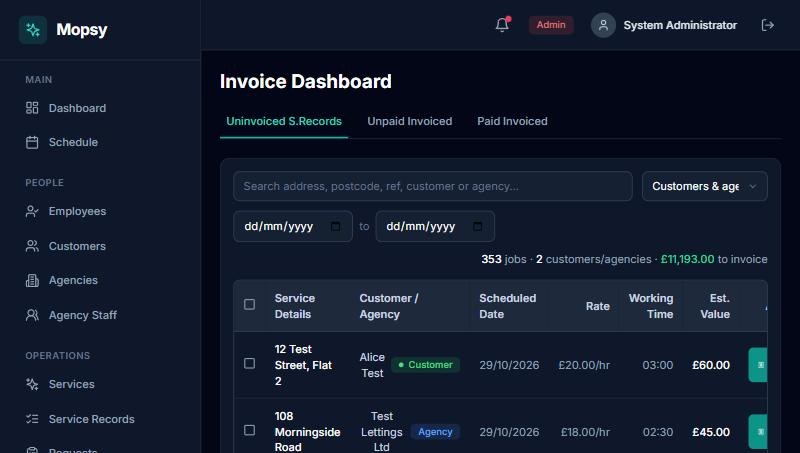
Your Invoice Dashboard lists every finished job that hasn't been billed yet. Invoice one job, or pick a customer, select everything that's built up and create one tidy invoice. Send it as a PDF and record the payment when it arrives.
White-label
Mopsy runs under your company name, logo and colours, at yourcompany.mopsy.app or your own domain. Your customers and agents log in to your portal — they never see ours. Invoices carry your bank details and numbering.
Questions?
Scheduling, invoicing, letting agents, data import, hosting, pricing — in plain words.
A relaxed 30-minute video call. Bring a typical week and we'll show you how it would look for your team.